
Subscribers Overview
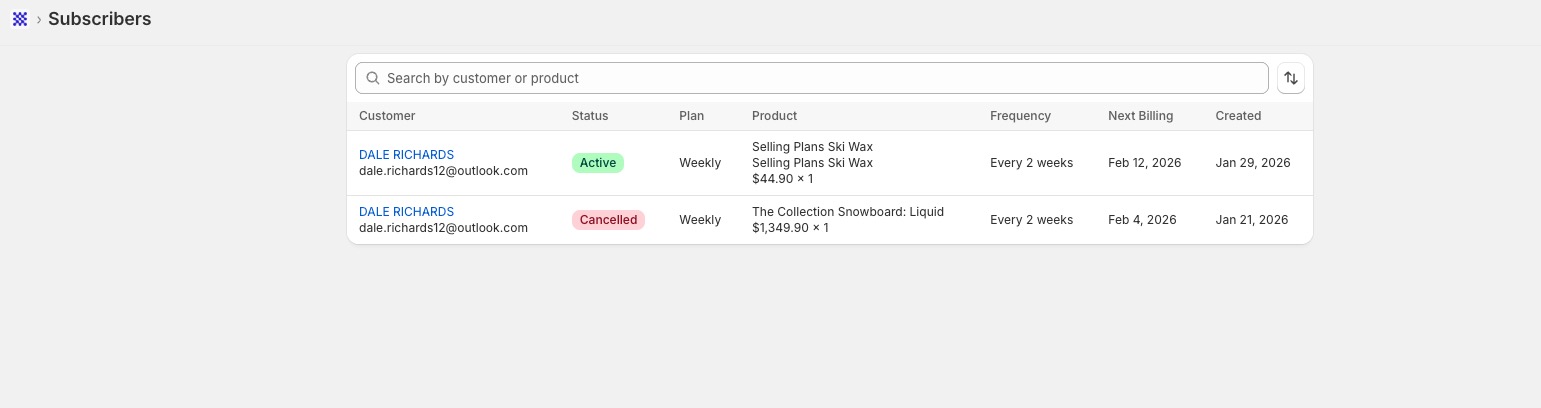
The Subscribers section in Sip Subscriptions gives you a quick overview of all customers with active or past subscriptions in your store. This view helps you manage your subscriber base, track subscription activity, and access detailed information for each customer.
What You’ll See
The subscriber list displays the following key information at a glance:
- Customer Name & Email
- Subscription Status (e.g. Active, Cancelled)
- Plan Type (e.g. Weekly, Monthly)
- Product(s) in the subscription
- Billing Frequency
- Next Billing Date
- Subscription Creation Date
You can also use the search bar to look up subscribers by customer name or product name.
View Subscriber Details
To access full details for a specific subscriber:
Step 1:
Click on the customer’s name from the subscriber list.
Step 2:
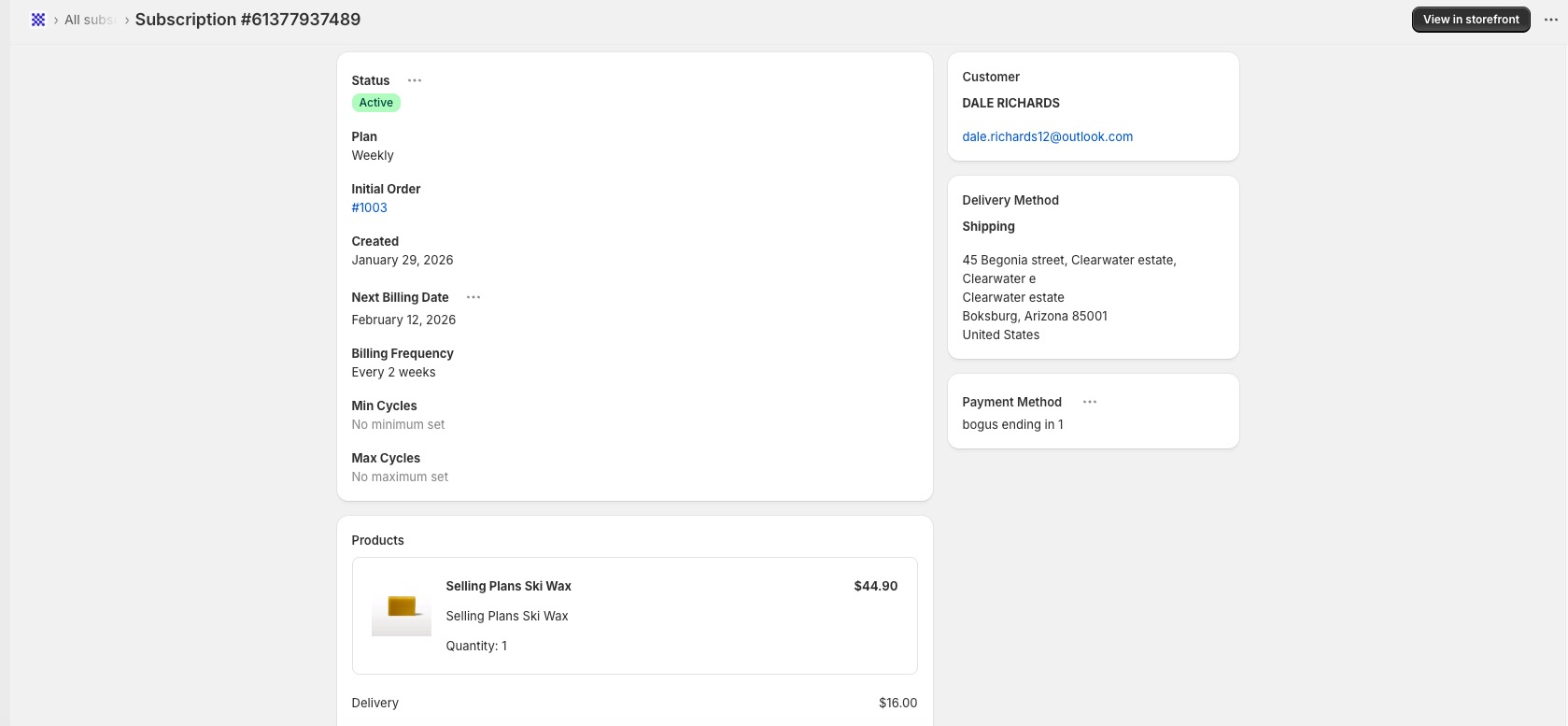
A detailed Subscription View will open, showing:
- Status of the subscription (Active, Cancelled, etc.)
- Plan and Billing Frequency
- Next Billing Date
- Order History and Initial Order Link
- Minimum and Maximum Cycles (if set)
- Products included, with quantity and pricing
- Shipping and Delivery Address
- Payment Method
You’ll also see a "View in storefront" button in the top-right corner for a direct preview of the plan on your live store.
Tip
Use this section to quickly troubleshoot issues or respond to customer inquiries — everything you need is just a click away.
Need help managing subscribers or understanding subscription activity? Reach out to our support team from within the app — we’re happy to assist!