
Adding Products to a Selling Plan in Sip
Once you've created your selling plans in Sip Subscriptions, the next step is mapping products to those plans. This ensures that each product displays the correct subscription options — such as billing frequency, delivery intervals, and discounts — on your storefront.
Without this step, subscription options won’t appear to customers, so it’s essential for everything to function smoothly.
How to Map Products to a Selling Plan
You can add products when creating a new selling plan or update an existing one anytime.
To add products:
- Open the desired Subscription in your Sip dashboard
- Navigate to the Products section and click Change Selection
- Select the products you want to include and click Add
-
You’re done! The selected products are now linked to the selling plan
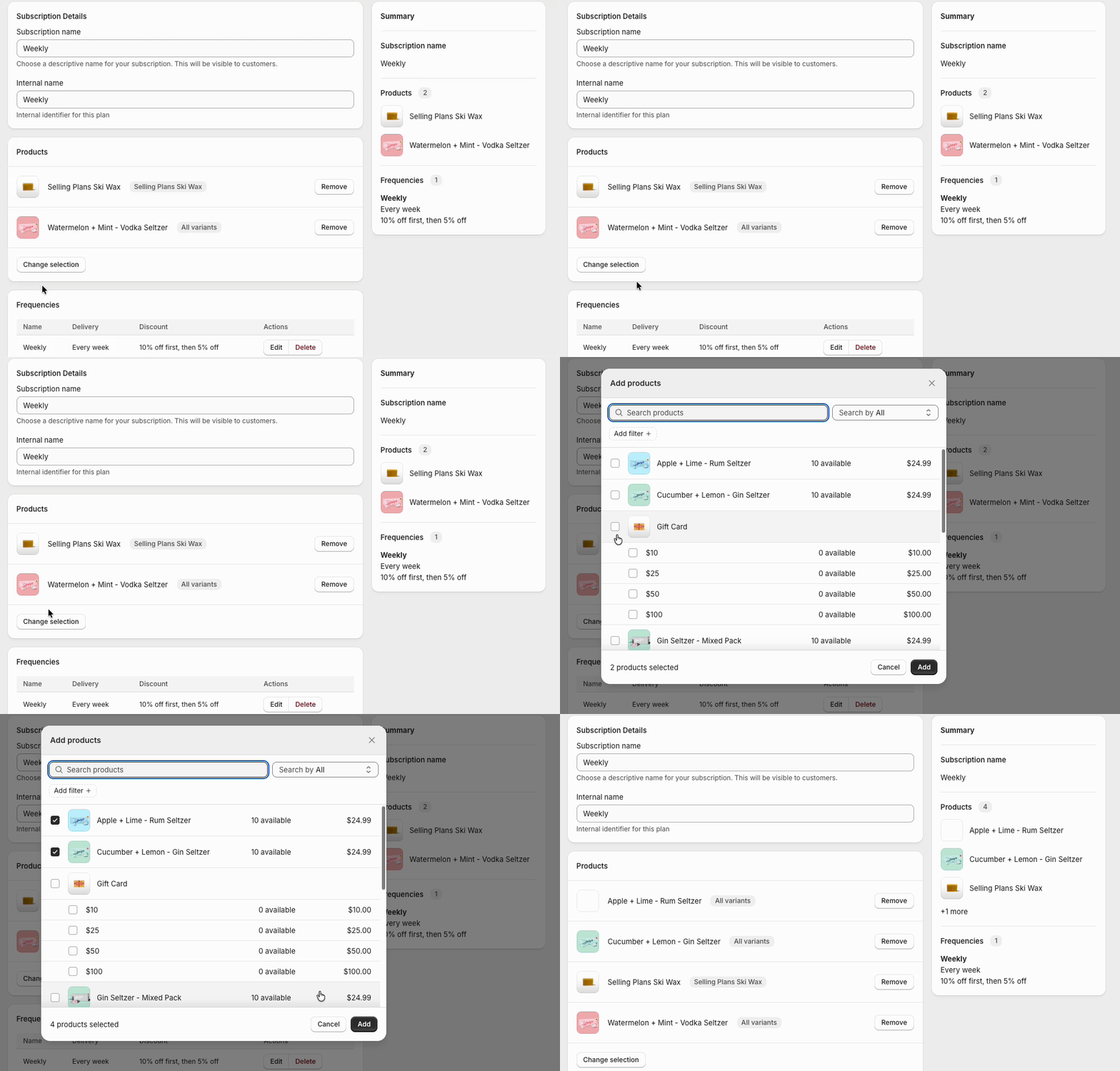
If you’ve already mapped products but want to update them, simply follow the below steps:
- Open the desired Subscription in your Sip dashboard
- Navigate to the Products section and click on the Remove button next to the product you would like to remove
- To add products click Change Selection
- Select the products you want to include and click Add
- You’re done! The selected products are now linked to the selling plan

FAQs
Should I create one selling plan and add multiple products to it, or create a separate plan for each product?
It depends on how you want to offer your subscriptions. If products share the same billing and delivery logic, you can add them to one selling plan. If each product has unique subscription terms, separate plans may be more suitable.
Need help deciding what works best for your setup? Reach out to our support team — we're happy to help!